

Microsoft Dynamics 365 Field Service Data For Bulgaria E-Invoicing
How Microsoft Dynamics 365 Field Service Handles Bulgaria Invoices
- Identify Service Transactions: Identifies completed field service transactions and supporting ERP records selected for electronic invoice preparation.
- Review Customer Context: Reviews customer accounts, service history, and job relationships before assembling billing information for processing.
- Compile Work Order: Combines work orders, labor, parts, and service details into structured invoice records for processing.
- Validate VAT Attributes: Checks Bulgarian VAT classifications and fiscal attributes before electronic billing information proceeds through validation.
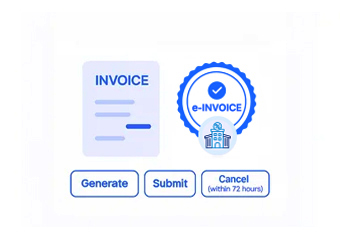
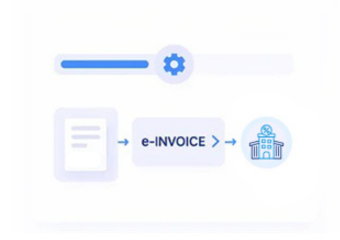
- Process Electronic Records: Routes validated service billing records through Advintek for applicable Bulgaria electronic invoicing workflows efficiently.
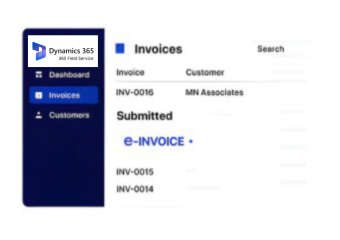
- Reconcile Invoice Outcomes: Associates returned invoice references and processing outcomes with originating ERP service transactions for reconciliation.
Why Microsoft Dynamics 365 Field Service Gains Advintek
Advintek connects Microsoft Dynamics 365 Field Service operations with electronic invoicing workflows while preserving relationships between service activity and financial records.
- Work orders define completed service billing context
- Asset histories enrich invoice line details
- Technician records document performed service activities
- Customer accounts support accurate billing identification
Microsoft Dynamics 365 Field Service Controls For Bulgaria
- Service Revenue Analysis: Examines service revenue across completed jobs to support financial planning and billing performance assessment.
- Work Order Review: Reviews work order billing activity against service records to identify transaction discrepancies and exceptions.
- Technician Utilization Analysis: Assesses technician workloads and completed activities to support operational capacity and resource planning decisions.
- Contract Revenue Assessment: Evaluates recurring contract revenue across customer accounts for improved service portfolio visibility and planning.
- Parts Usage Monitoring: Monitors parts consumption against service activity to support inventory and billing analysis for management.
- Customer Account Analysis: Analyzes customer account activity to identify billing trends, service demand, and receivable exposure patterns.
What Microsoft Dynamics 365 Field Service Reveals For Planning
Service Demand Patterns
Highlights recurring service demand patterns across customer accounts, supporting capacity and scheduling decisions.
Renewal Activity Signals
Tracks contract renewal activity influencing recurring service revenue planning and future customer account priorities.
Parts Consumption Trends
Shows parts consumption trends across completed jobs, helping teams anticipate inventory requirements better.
Microsoft Dynamics 365 Field Service Uses Across Bulgaria
Microsoft Dynamics 365 Field Service can connect operational service information with downstream ERP billing and electronic invoicing processes.
- Service agreements support recurring billing administration
- Parts usage informs service transaction documentation
- Service history strengthens customer account reconciliation
- Job completion records support invoice verification
Start Your Advintek Integration Today
Connect Microsoft Dynamics 365 Field Service with Bulgaria e-invoicing today.
Coordinate service records across Bulgaria billing workflows.
Ready e-Invoice System
Frequently Asked Questions Microsoft Dynamics e-Invoicing Bulgaria
Which Microsoft Dynamics 365 Field Service records support Bulgaria e-invoicing?
Work orders, customer accounts, service agreements, technician activities, asset information, parts usage, and completed service records can provide useful source information. Advintek can organize relevant Field Service data into an electronic invoicing workflow while maintaining relationships between operational service records and corresponding billing transactions.
How can work orders influence Bulgarian electronic invoice preparation?
Work orders contain important operational context surrounding completed service activities. Details such as performed work, service quantities, customer associations, and used parts can contribute to invoice information. Connecting Microsoft Dynamics 365 Field Service with Advintek allows relevant work order data to participate in a structured Bulgaria e-invoicing process.
Where can VAT information fit within Microsoft Dynamics 365 Field Service workflows?
VAT-related information can be associated with applicable service transactions before electronic invoice processing. Advintek can review relevant fiscal attributes and classifications supplied through the connected ERP workflow, helping ensure billing information is appropriately organized before it proceeds through Bulgaria electronic invoicing processes.
Can Microsoft Dynamics 365 Field Service assets and parts enrich invoice details?
Yes. Asset information can identify the equipment involved in a service activity, while parts records can provide additional transaction and quantity context. These details can help create more informative invoice lines and maintain stronger links between completed field service work and related financial documentation.
What does Advintek add to Microsoft Dynamics 365 Field Service for Bulgaria?
Advintek provides a connected layer between Field Service operations and Bulgaria electronic invoicing workflows. It can coordinate work orders, customer information, service details, VAT attributes, validation, invoice processing, and returned references, helping businesses maintain clearer relationships between operational service activity and their ERP financial records.