

Bulgaria E-Invoicing For Microsoft Power Automate
How Microsoft Power Automate Supports e-Invoicing
- Data Collection: Microsoft Power Automate gathers ERP information, preparing source data for Bulgarian electronic invoice processing workflows.
- Record Assessment: Advintek reviews extracted records, checking customer, transaction, tax, and document information before structured preparation.
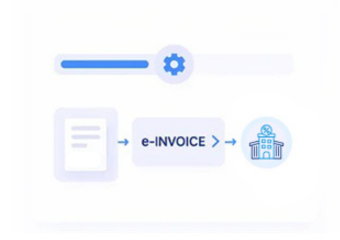
- Invoice Structuring: Validated information is organized into electronic invoice fields aligned with applicable Bulgarian invoicing requirements.
- Reference Association: Invoice records associate with originating automation processes, ERP transactions, approvals, and references for traceability.
- Delivery Coordination: Prepared documents proceed through supported delivery workflows while Microsoft Power Automate records outcomes and status information.
- History Management: Completed invoice information remains connected with workflow history, enabling reconciliation, reporting, and document retrieval.
Advintek Integration with Microsoft Power Automate
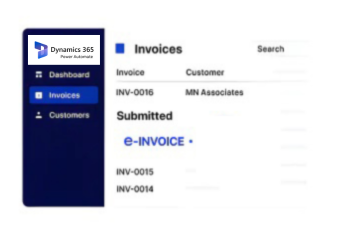
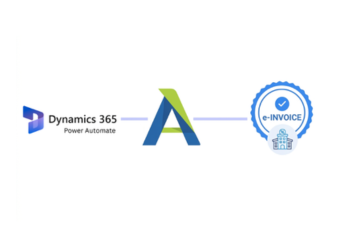
Advintek extends Microsoft Power Automate with Bulgaria-focused e-invoicing automation, connecting ERP events, approvals, transaction data, validation checks, invoice preparation, processing, financial records, and reporting workflows.
- Validates Power Automate transaction information before invoicing
- Structures ERP invoice information for e-processing
- Connects invoices with originating workflow records
- Provides visibility across automated invoice activities
Microsoft Power Automate Benefits for Bulgaria
- Approval Workflow Control: Coordinates invoice approvals through configured Microsoft Power Automate processes before e-documents continue through processing stages.
- ERP Event Automation: Uses ERP events and workflow triggers to initiate invoice-related activities without repeated manual intervention.
- Transaction Rule Application: Applies configured business logic to invoice transactions, supporting consistent treatment across different operational scenarios.
- Exception Resolution Routing: Directs incomplete or unsuccessful invoice processes toward designated users and workflows for correction.
- Financial Process Coordination: Connects automated invoice activities with financial workflows, supporting accounting teams across connected ERP environments.
- Cross-System Process Visibility: Provides visibility into invoice-related automation spanning ERP applications, business systems, approvals, and document activities.
Bulgaria e-Invoicing Tools with Microsoft Power Automate
Approval Matrix Integration
Connects configured approval hierarchies with invoice workflows for controlled authorization across business departments.
Trigger Event Mapping
Associates ERP events with automation triggers that initiate relevant invoice processing activities automatically.
Exception Queue Handling
Directs failed invoice processes into designated workflows for review, correction, and resolution activities.
Microsoft Power Automate Invoicing Across Bulgaria
Microsoft Power Automate supports cross-system business automation, while Advintek connects ERP events, invoice workflows, approvals, transaction information, financial records, and document processing with Bulgarian electronic invoicing.
- Supports automated Bulgarian invoice preparation workflows
- Links ERP events with invoice processes
- Coordinates approvals across connected business systems
- Maintains electronic invoice processing visibility
Connect Businesses With Bulgarian E-Invoicing
Start automated invoice processing across your connected ERP.
Automate Your Bulgarian Invoice Workflows Today
Ready e-Invoice System
Frequently Asked Questions Power Automate e-Invoicing Bulgaria
How does Microsoft Power Automate connect ERP data with Bulgarian e-invoicing?
Advintek can connect Microsoft Power Automate with ERP applications and business systems, allowing invoice-related data to flow through automation workflows. Customer records, transaction values, tax information, approvals, and document references can be processed before electronic invoices are prepared and delivered, helping finance teams coordinate ERP-based invoicing activities.
Which Microsoft Power Automate workflows support Bulgaria electronic invoice processing?
Microsoft Power Automate can coordinate invoice creation triggers, approval stages, validation checks, exception handling, document routing, and status updates. Advintek can connect these workflows with ERP records and NRA-relevant tax information, helping finance teams automate repetitive invoice activities while maintaining relationships between source transactions and processed electronic documents throughout the workflow.
Can Power Automate automate invoice approvals for Bulgarian businesses?
Yes. Microsoft Power Automate can coordinate approval sequences based on configured business rules, departments, transaction conditions, or authorization requirements. With Advintek, approved invoice information can continue into electronic invoicing workflows, while rejected or incomplete documents can be routed for review instead of progressing automatically through subsequent processing stages.
How are ERP exceptions handled during automated e-invoicing?
Advintek can use Microsoft Power Automate workflows to identify incomplete information, failed validation results, missing references, or processing exceptions. Defined workflow actions can notify responsible users, route records for correction, and resume processing when required information has been addressed, providing greater control over automated ERP invoice operations.
Why use Advintek with Microsoft Power Automate for Bulgaria e-invoicing?
Advintek adds an e-invoicing integration layer to Power Automate, connecting automation logic with ERP transaction data and structured invoice processing. Businesses can coordinate approvals, validation, document preparation, delivery, and processing records while retaining clearer visibility across existing automated finance workflows and connected business applications.