

Compliance That Scales With Enterprise Accounting
How QuickBooks Enterprise Processes Bulgaria Invoices
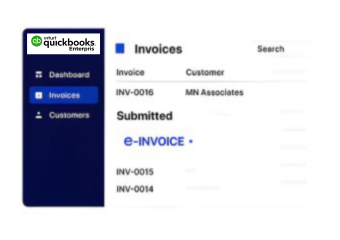
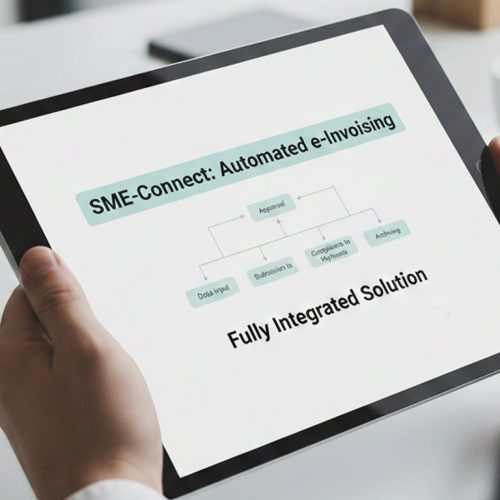
- Identify Sales Transactions: Identify eligible QuickBooks Enterprise sales transactions requiring Bulgaria electronic invoice processing through Advintek workflows.
- Review Customer Details: Review customer, product, sales, VAT, and accounting information before preparing the electronic invoice.
- Compile Invoice Records: Combine approved transaction details with customer, product, tax, and financial references for processing.
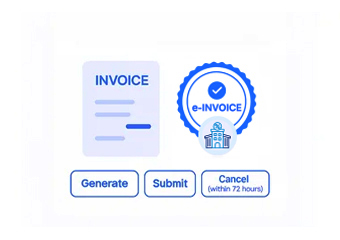
- Validate VAT Information: Validate applicable VAT details and required invoice information before electronic submission through connected workflows.
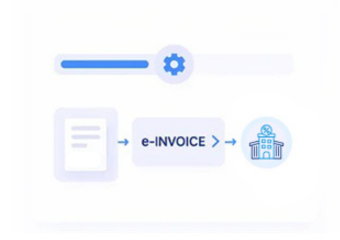
- Process Electronic Invoices: Route validated QuickBooks Enterprise records through Advintek for structured Bulgarian electronic invoice processing.
- Reconcile Processing Results: Associate returned processing references with QuickBooks Enterprise records for accounting review and transaction reconciliation.
Why QuickBooks Enterprise Supports Finance
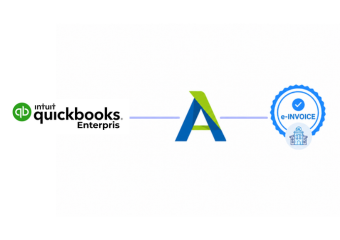
Advintek connects QuickBooks Enterprise accounting activity with Bulgaria e-invoicing workflows while preserving relationships across sales, VAT, customers, and financial records.
- Customer accounts support accurate invoice identification
- Sales entries provide transaction billing context
- Item records enrich invoice line information
- VAT details support fiscal classification
Why QuickBooks Enterprise Strengthens Accounting
- Revenue Category Review: Examine revenue across products, customers, sales categories, and accounting periods for financial planning purposes.
- Customer Balance Assessment: Review customer balances and outstanding receivables to understand collection activity across business accounts.
- Sales Channel Comparison: Compare sales performance across channels, customer groups, and transaction categories for commercial planning.
- VAT Account Examination: Assess VAT-related accounting activity to identify unusual classifications and transactions requiring review.
- Inventory Revenue Analysis: Compare item movement with sales activity to understand product contribution and revenue patterns.
- Billing Difference Monitoring: Monitor discrepancies between source transactions, invoice records, and accounting entries requiring investigation.
One Compliance Layer Across Enterprise Billing
Customer Purchase Patterns
Customer Purchase Patterns reveal changing buying behavior across accounts, products, and sales periods.
Revenue Concentration Signals
Revenue Concentration Signals highlight customer and product groups contributing significant portions of business revenue.
Seasonal Sales Indicators
Seasonal Sales Indicators identify recurring changes in transaction activity across accounting periods and product categories.
QuickBooks Enterprise Uses In Bulgaria
QuickBooks Enterprise can connect accounting, sales, customer management, inventory, VAT records, and financial reporting with Bulgaria electronic invoicing workflows.
- Sales records support structured invoice preparation
- Customer histories strengthen account administration
- Inventory data clarifies billed product quantities
- Accounting entries support invoice reconciliation
Automate QuickBooks Enterprise With Bulgaria
Connect QuickBooks Enterprise with Bulgaria e-invoicing through Advintek today.
Coordinate accounting data across Bulgaria billing workflows.
Ready e-Invoice System
Frequently Asked Questions QuickBooks Enterprise e-Invoicing Bulgaria
Which QuickBooks Enterprise records can support Bulgaria e-invoicing?
QuickBooks Enterprise can provide customer accounts, sales transactions, item details, VAT information, invoices, sales orders, and accounting records that may contribute to electronic invoice preparation. Advintek can coordinate applicable QuickBooks Enterprise information with Bulgaria e-invoicing workflows while maintaining links between originating transactions and processed invoice records.
How does QuickBooks Enterprise handle Bulgarian VAT information?
VAT information recorded within QuickBooks Enterprise can provide important fiscal context for transactions entering an electronic invoicing workflow. Applicable tax details, transaction values, customer information, and item records can be reviewed before processing. Advintek helps coordinate relevant accounting data with Bulgaria billing workflows.
Can QuickBooks Enterprise inventory records support invoice accuracy?
Yes. Inventory records can provide item identifiers, descriptions, quantities, and related sales information that contribute to detailed invoice lines. Connecting inventory activity with originating sales transactions can improve billing traceability. Advintek can coordinate applicable QuickBooks Enterprise item information with Bulgaria electronic invoice processing.
What customer information does QuickBooks Enterprise provide?
Customer records can contain names, addresses, account references, contact information, and transaction relationships that support invoice preparation. Advintek can associate relevant customer information with eligible QuickBooks Enterprise sales records, helping businesses establish the correct billing context while connecting customer data with Bulgaria e-invoicing workflows.
Why integrate QuickBooks Enterprise with Bulgaria e-invoicing software?
Integrating QuickBooks Enterprise with Bulgaria e-invoicing software connects accounting activity with structured electronic billing processes. Advintek can coordinate sales, customers, items, VAT information, orders, invoices, and financial records, helping businesses maintain traceability between QuickBooks Enterprise transactions and electronic invoice processing across Bulgaria operations.