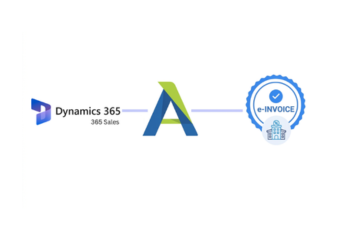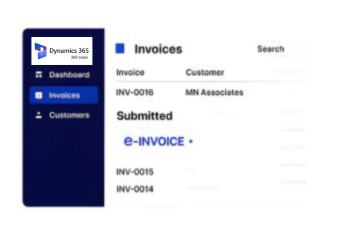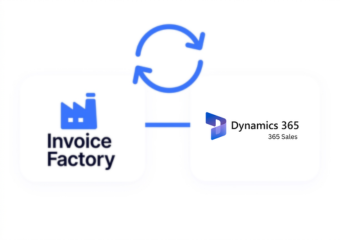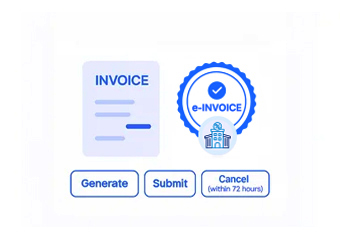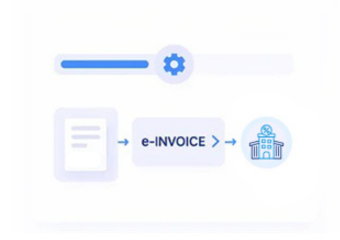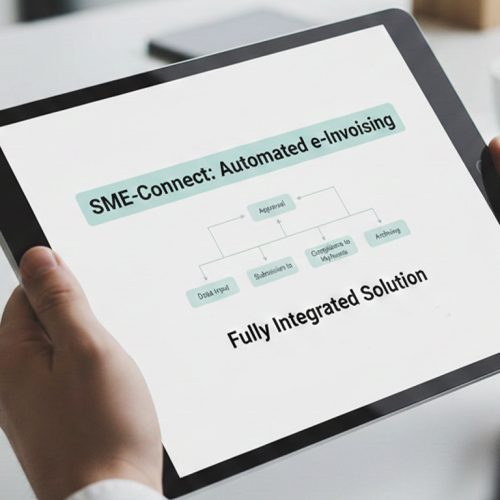


e-invoices using sales, customer, order, product, and NRA-relevant tax information.
Bulgarian Compliance Support for Microsoft Dynamics 365 Sales
How Microsoft Dynamics 365 Sales Processes Invoices
- Sales Data Collection: Relevant account, opportunity, quote, order, product, and sales records are gathered from Dynamics 365 Sales.
- Transaction Information Review: Collected information is reviewed for completeness, customer accuracy, tax details, references, and required invoice fields.
- Invoice Content Preparation: Approved sales information is organized into structured electronic invoice content for applicable Bulgarian invoicing processes.
- CRM Reference Preservation: Invoice records retain links to accounts, opportunities, quotes, orders, and originating Microsoft Dynamics 365 Sales transactions.
- Electronic Document Processing: Prepared electronic documents proceed through supported channels while preserving relevant customer and sales context throughout.
- Processing Outcome Recording: Processing outcomes remain available with source references for reconciliation, reporting, exception review, and financial follow-up.
What Advintek Adds to Microsoft Dynamics 365 Sales
Advintek extends Microsoft Dynamics 365 Sales with Bulgaria-focused e-invoicing connectivity, aligning customer, opportunity, quote, order, product, tax, NRA, and billing information within organized e-document processes.
- Reviews sales information before invoice preparation
- Organizes customer records for electronic billing
- Relates opportunities with resulting invoice documents
- Supports finance visibility across sales transactions
Practical Microsoft Dynamics 365 Sales Benefits
- Opportunity Outcome Tracking: Connects opportunity outcomes with invoice records while preserving account, product, order, and context throughout.
- Account Billing Accuracy: Relates customer account information to billing documents, supporting consistent identification across electronic invoicing activities.
- Product Pricing Visibility: Maintains product and pricing details alongside invoices for clearer review of completed sales transactions.
- Quote Order Traceability: Associates quotes and orders with invoices and NRA-relevant tax records, helping teams trace billing back to sales activity.
- Tax Information Alignment: Aligns applicable tax information with sales transactions before electronic invoice documents enter processing workflows.
- Finance Review Support: Provides finance teams with connected invoice references for reconciliation, reporting, and customer account review.
Microsoft Dynamics 365 Sales Capabilities for Bulgaria
Forecast Reference Context
Opportunity forecasting references can provide commercial context alongside invoices generated from completed sales transactions.
Quote Conversion Tracking
Quote conversion details can support traceability between sales terms, NRA-relevant tax information, and resulting invoice records.
Territory Assignment Mapping
Territory assignment references can organize invoice activity across regional sales responsibilities within Dynamics 365 Sales.
Microsoft Dynamics 365 Sales in Bulgaria
Microsoft Dynamics 365 Sales centralizes accounts, opportunities, quotes, orders, products, and customer interactions, while Advintek connects relevant sales information with Bulgarian electronic invoicing processes.
- Aligns completed sales with invoice processing
- Connects customer accounts with billing documents
- Relates quotes to corresponding invoice records
- Supports regional sales finance reconciliation
Through Microsoft Dynamics 365 Sales
Start Bulgarian e-invoicing across your Dynamics 365 Sales environment today.
Connect sales records with compliant invoice workflows.
Ready e-Invoice System
Frequently Asked Questions Microsoft Dynamics e-Invoicing Bulgaria
Which Microsoft Dynamics 365 Sales records can feed Bulgaria e-invoices?
Relevant Microsoft Dynamics 365 Sales information can include accounts, contacts, products, quotes, orders, pricing details, and sales-related references. Advintek can use applicable records as source data for invoice preparation, helping businesses maintain consistency between their CRM sales activity and the information required for connected Bulgarian electronic invoicing workflows.
How are approved quotes handled when sales become billable?
When a quote progresses into an approved sales transaction, its relevant commercial information can support subsequent invoice preparation. Advintek helps connect applicable Dynamics 365 Sales details with the invoicing workflow, reducing the need to manually reconstruct customer, product, quantity, pricing, and transaction information for each resulting invoice.
What role do accounts and contacts play in invoicing?
Customer records provide important identification and business information during invoice preparation. Within Microsoft Dynamics 365 Sales, account and contact details can be associated with relevant commercial transactions, allowing Advintek to maintain the relationship between customer information and invoice records throughout the connected Bulgarian e-invoicing process.
Where does product information fit into the Microsoft Dynamics 365 Sales workflow?
Product records can supply important invoice-line information when sales transactions progress toward billing. Depending on the configured integration, relevant product descriptions, quantities, pricing information, and related sales details can be transferred into invoice preparation, helping maintain alignment between Microsoft Dynamics 365 Sales transactions and the resulting electronic invoice.
Why connect Microsoft Dynamics 365 Sales with Advintek for Bulgaria?
A direct connection can create continuity between CRM sales activity and electronic invoice processing. Instead of treating invoicing as a separate process, businesses can coordinate:
- Customer and account information
- Approved quotes and sales orders
- Product and transaction details
- Applicable invoice and tax information
Advintek then provides the connected layer for Bulgaria e-invoicing workflows.